How to Manage Global Client Time Zones Without Working 24/7
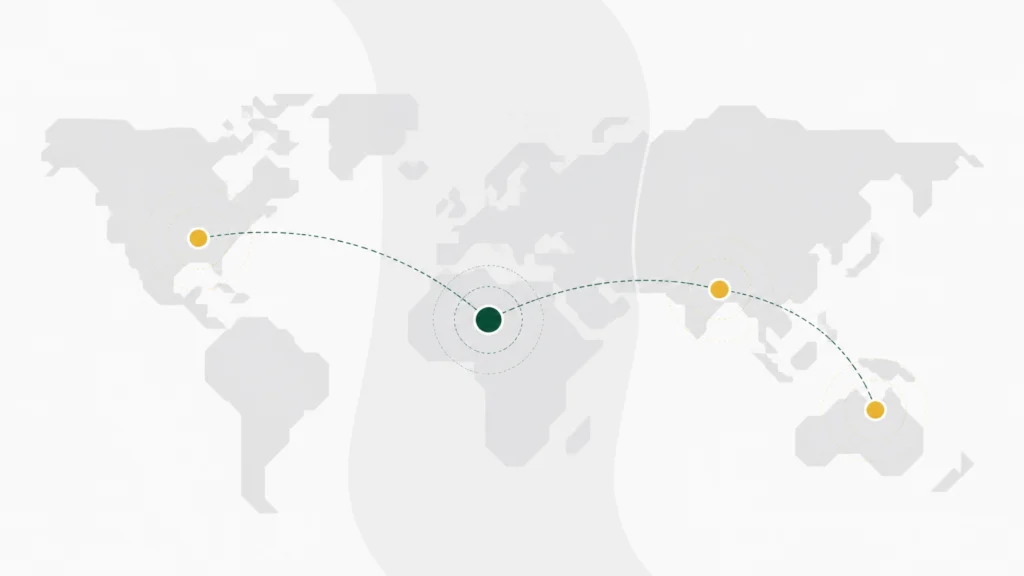
Direct answer: Manage global client time zones with defined availability windows, clear response SLAs, time-zone-aware scheduling, and structured handoffs. Use systems or AI for routine intake and routing, then reserve human attention for judgment-heavy work. You do not need to be awake for every client; you need reliable coverage around the work that matters.
Aug 2026 · Dayaly Ops · From our Uluwatu founders’ session

On 25 August 2026, in Uluwatu, Bali, Jay described a problem that sounds manageable until you map it across a full week:
“My clients are from all over the world, selling product, across a lot of different time zones. I don’t want to deal with uncertain business, so my assistant helps me streamline the calls.”
The assistant helps. Calls become easier to arrange. Calendars stop colliding.
But the underlying problem remains.
Someone, somewhere, is always in the middle of their workday.
While you sleep, a client may be reviewing a proposal. While you are in a meeting, another may be waiting for an answer. While you are finally offline, an inbound lead may be ready to talk.
This is not a discipline problem.
It is a coverage and handoff problem.
One person cannot be awake for every client time zone. A calendar assistant can coordinate meetings, but it cannot automatically create after-hours response coverage.

Why do global client time zones create an invisible workload?
The trap is that every individual task feels small.
A message. A call request. A qualification question. A follow-up. A calendar adjustment.
None of these feels difficult enough to justify a new operating model.
Together, they create an availability tax.
You begin carrying the business in the background. You check your phone before bed. You scan messages during breakfast. You answer one “quick” question in another time zone, then spend the next hour trying to return to the work you intended to do.
The day looks full.
The important work keeps moving.
Jay does not need to become more disciplined. He needs a system that separates scheduling from coverage, and coverage from judgment.
That distinction matters.
Scheduling answers: when can two people meet?
Coverage answers: who receives, acknowledges, routes, and advances the work when you are unavailable?
An assistant may solve the first question.
The second requires ownership, rules, and a reliable handoff.
What does the lead-response research actually tell us?
Fast response matters, especially for inbound leads. But the research needs to be described accurately.
In Harvard Business Review’s “The Short Life of Online Sales Leads”, research associated with James Oldroyd reported that contacting leads within five minutes was associated with substantially higher odds of entering the sales process than waiting 30 minutes.
The commonly cited 21x figure is often attributed to that research. It is useful as directional evidence, not a universal rule that applies identically across every industry, offer, or buying context.
HBR also reported two separate response-time findings:
- Among companies that responded to online leads, the average response time was 42 hours.
- 24% took more than a day to respond.
These findings do not mean every lead becomes worthless after a fixed number of hours. Lead intent, industry, offer, and buying process all matter.
The practical point is simpler.
An overnight delay can cause you to miss the rapid-response window identified in the research.
You do not solve that by staying awake every night.
You solve it by deciding what happens when you are offline.
Which coverage model fits a lean business?
| Coverage model | Response window | Strengths | Limitations | Best use |
|---|---|---|---|---|
| Founder-only coverage | Depends on the founder’s availability | Strong context, personal judgment, direct relationship | Fragile, inconsistent, difficult across time zones, creates mental residue | High-stakes decisions and key relationships |
| Calendar assistant | Fast scheduling during configured availability | Reduces back-and-forth, prevents calendar errors, makes time zones visible | Does not answer substantive questions or create after-hours coverage | Meeting coordination and booking |
| Structured human-plus-AI coverage | Immediate acknowledgment or routing, with defined human SLA | Extends operational reach, captures information, protects founder attention, creates handoffs | Requires clear boundaries, approved tools, review, and escalation rules | Lead intake, inbox operations, qualification, scheduling, and defined client workflows |
The answer is not “replace yourself with AI.”
It is also not “hire an assistant and hope the gaps disappear.”
The useful model has three layers.
System or AI layer: handles defined routine inquiries, captures basic information, qualifies leads against agreed criteria, and offers available calendar slots.
Human layer: reviews exceptions, handles judgment-heavy conversations, protects the company voice, and manages sensitive information.
Control layer: permissioned tools, defined data boundaries, access controls, approved playbooks or prompts, escalation rules, and reporting.
You could describe this as Dayaly’s 70% system, 30% human operating model for the right workflow. Not an industry standard. Not a guaranteed ratio. A practical design principle for removing repetitive load without removing human judgment.
That is coverage.
Not constant founder availability.
How can you use AI without exposing sensitive information?
Jay also raised a separate concern:
“I want to use a lot of AI to help with stuff, but I was told that if you don’t use a paid version—if you use the free version—anyone else in my field could end up seeing that same research. I don’t want a lot of that knowledge to be out there.”
The concern is valid. The explanation needs to be precise.
Not every free AI tool publicly exposes every prompt. The risk is broader than that.
You need clear rules for:
- What information can be entered into an AI system.
- Which accounts, permissions, and administrator controls are in place.
- Whether staff are using approved tools or consumer tools with unclear boundaries.
- Which workflows allow AI support and which do not.
- How sensitive outputs are reviewed before anything reaches a client.
The NIST AI Risk Management Framework is a useful reference for thinking about trustworthy and responsible AI use. It is voluntary guidance, not a guarantee or certification.
For a lean team, the operating rules can be straightforward:
- Define what information may enter an AI tool.
- Keep confidential research, credentials, customer data, and strategic documents outside unapproved workflows.
- Use permissioned accounts and role-based access where available.
- Create approved prompts and reusable playbooks.
- Require human review for sensitive or consequential outputs.
- Record what the system handled and where an exception was escalated.
AI should reduce repetitive work.
It should not blur your data boundaries.

Penny’s Take: The risk is rarely “AI” in the abstract. It is the unmarked door between sensitive company knowledge and uncontrolled workflows. If no one defined the boundary, you do not have one.
What should your after-hours coverage checklist include?
Before adding another tool, map the workflow.
Use this checklist:
- Map client time zones. Group clients by region and identify their normal business hours.
- Define response SLAs. Decide what “fast enough” means for a new lead, an existing client, and a non-urgent request.
- Identify qualification criteria. Specify the information needed before a lead or request reaches a human.
- Create escalation rules. Define what must go to the founder immediately, what can wait, and what can be handled from a playbook.
- Test the call and inbox flow. Submit test inquiries outside working hours. Check timestamps, routing, notifications, calendar links, and handoff notes.
- Review missed handoffs weekly. Look for unanswered messages, unclear ownership, duplicate work, and promises the system should not have made.
Do not write “ASAP” as your operating model.
Write: “New qualified inquiries receive an acknowledgment immediately and human review within two business hours during the agreed coverage window.”
Specificity removes anxiety.
What does a practical human-plus-AI workflow look like?
A simple workflow might look like this:
- A client or lead submits a message, form, or call request.
- The system acknowledges receipt and captures basic information.
- Defined criteria determine whether the inquiry is routine, qualified, sensitive, or urgent.
- Routine requests receive an approved answer or available booking options.
- Exceptions move to a human owner with the relevant context attached.
- The human reviews, responds, and updates the record.
- Weekly reporting shows response times, missed handoffs, and recurring exceptions.
This is not a promise of 24/7 human service.
It is a way to make the agreed service window dependable.
For some businesses, that may mean business-hours coverage across one region. For others, it may mean a wider handoff model. The scope needs to be designed around volume, urgency, tools, and the service level you are prepared to support.
When does managed operations support make sense?
A managed operations pod makes sense when you have recurring work across inboxes, calendars, lead routing, admin, reporting, or coordination: but do not want to hire and manage a full internal operations team.
Dayaly Ops is an Indonesia-based managed backoffice pod supporting defined workflows such as inbox and admin operations, lead routing, calendar coordination, reporting, and escalation.
The important word is defined.
We do not promise universal 24/7 coverage by default. Coverage depends on the workflow, tools, response expectations, and service scope agreed with the client.
The model is simple:
Not one person trying to remember everything.
Not automation operating without oversight.
A managed workflow with playbooks, human ownership, clear escalation, and reporting.
Read more about how startup operations support can protect lean teams from the 80-hour grind.
What is the mental shift behind time-zone coverage?
The shift is from personal availability to operational ownership.
Not: “How do I answer every client quickly?”
But: “What should happen when I am unavailable?”
Not: “How do I fit one more time zone into my day?”
But: “Which parts of this workflow need a live human, and which parts need a reliable system?”
Not: “How do I delegate scheduling?”
But: “How do I create a handoff that preserves context and moves the work forward?”
The objective is not to become unavailable.
It is to stop being required for every small thing.
Author POV
Global clients do not necessarily require a globalized personal schedule.
They require clarity.
Clear hours. Clear response expectations. Clear ownership. Clear escalation.
A calendar assistant can make a meeting easier to book. It cannot make a business operationally covered on its own.
If your clients are awake while you sleep, build the handoff before you try to extend the day.
Want to understand where this support could fit? Book a 30-minute discovery call or try the free ops audit tool first.
How much revenue, trust, and strategic attention will you continue trading for work that should already have an owner?
Dayaly Ops · PT Katalis Daya Insani · Jakarta, Indonesia
Frequently asked questions
How can a small business serve clients across time zones?
Map client regions, define business-hour coverage windows, publish response SLAs, and use time-zone-aware scheduling. Add a structured handoff for inquiries that arrive outside your working hours. Routine intake can be handled by systems or AI, while humans manage exceptions and judgment-heavy conversations.
Can an assistant solve international scheduling problems?
An assistant can reduce scheduling friction by coordinating calendars, converting time zones, and offering approved availability. However, scheduling is not the same as response coverage. An assistant may streamline calls without answering substantive inquiries or ensuring that someone owns the next step after hours.
How fast should businesses respond to inbound leads?
The appropriate response time depends on lead intent, industry, and the agreed service model. Research discussed by Harvard Business Review associated contacting leads within five minutes with substantially higher odds of entering the sales process than waiting 30 minutes. Use this as a planning benchmark, not a universal guarantee.
How can businesses use AI without exposing sensitive information?
Define approved data boundaries, use permissioned accounts, restrict access, create approved prompts and playbooks, and require human review for sensitive outputs. Do not use open, uncontrolled prompts for sensitive company information, and do establish clear rules for how company, customer, and research information is handled.
When does human-plus-AI operations support make sense?
It makes sense when routine inquiries or administrative workflows can be standardized, but exceptions still require judgment, context, or a human voice. The model works best when the workflow has defined inputs, qualification criteria, escalation rules, approved tools, and reporting.